How a thread arrives, reading and answering it, the drafts your second brain writes, and how to hang it on the client, project or person it is about.
Overview
Somewhere in this morning's mail is the one thread that matters — the client answering about the quote — buried between a newsletter, a receipt and a delivery notice. In Mindnodes a thread is a source: it arrives from a mailbox you connected, it queues in your Inbox, and it hangs on whatever nodes it is about, so that answer ends up on the client rather than on page four of your mailbox. The conversation itself stays in your mail account — Mindnodes keeps the connection between it and the client, the project or the person.
Basics
How a thread arrives
New mail is filed as an inbox item, in the order it reached you, and your second brain reads it before you open it: who it is from, what it asks, whether you owe them something. What it works out waits as a proposal for your yes — covered later in this guide.
Read one
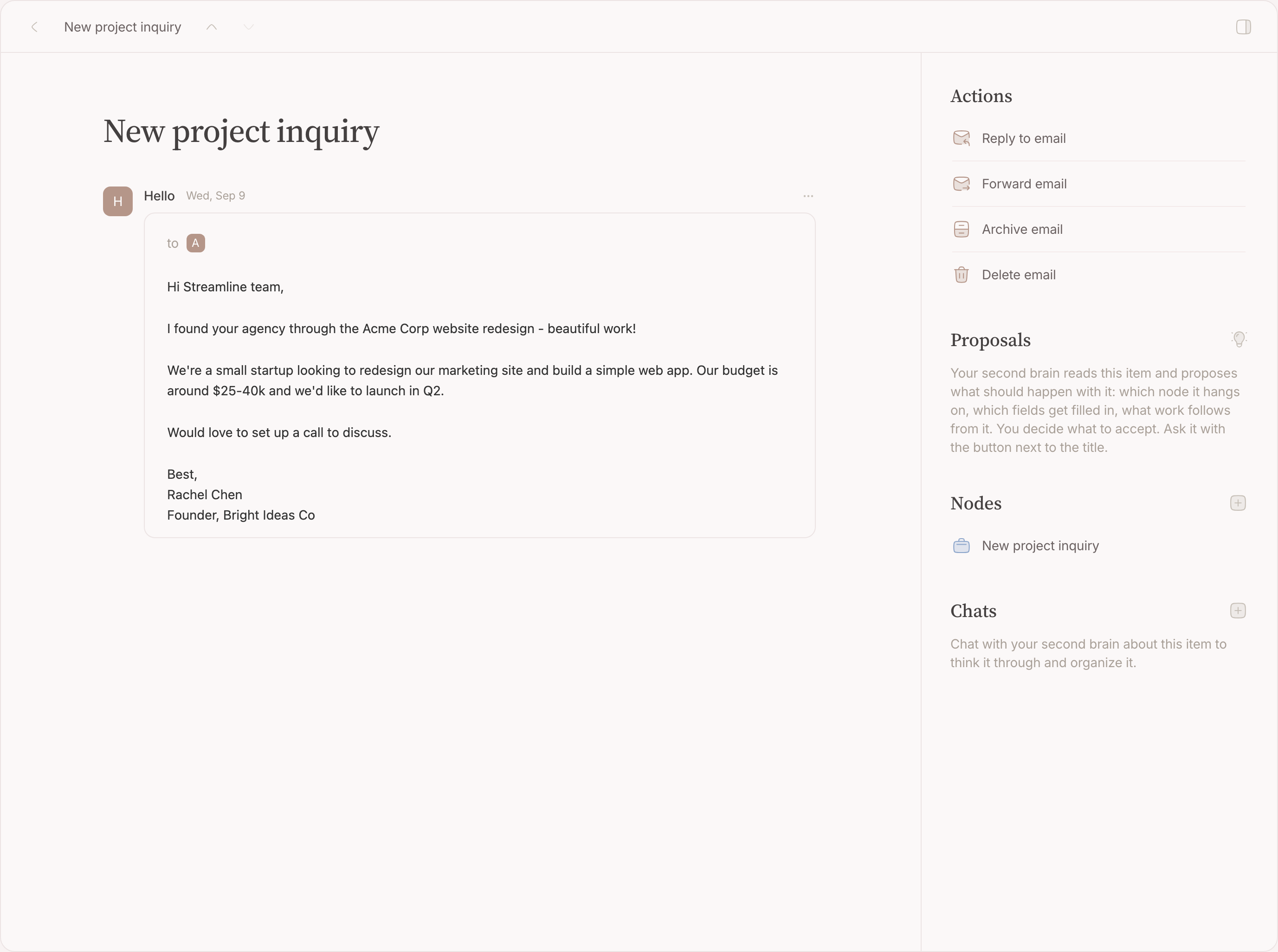
The thread page holds the messages in order, each with its sender, recipients and attachments. Quoted history is folded away, so a long thread reads as what was actually said. Beside it are the nodes it hangs on, the chats about it, and its actions ( ⌘K ).
Reply or forward
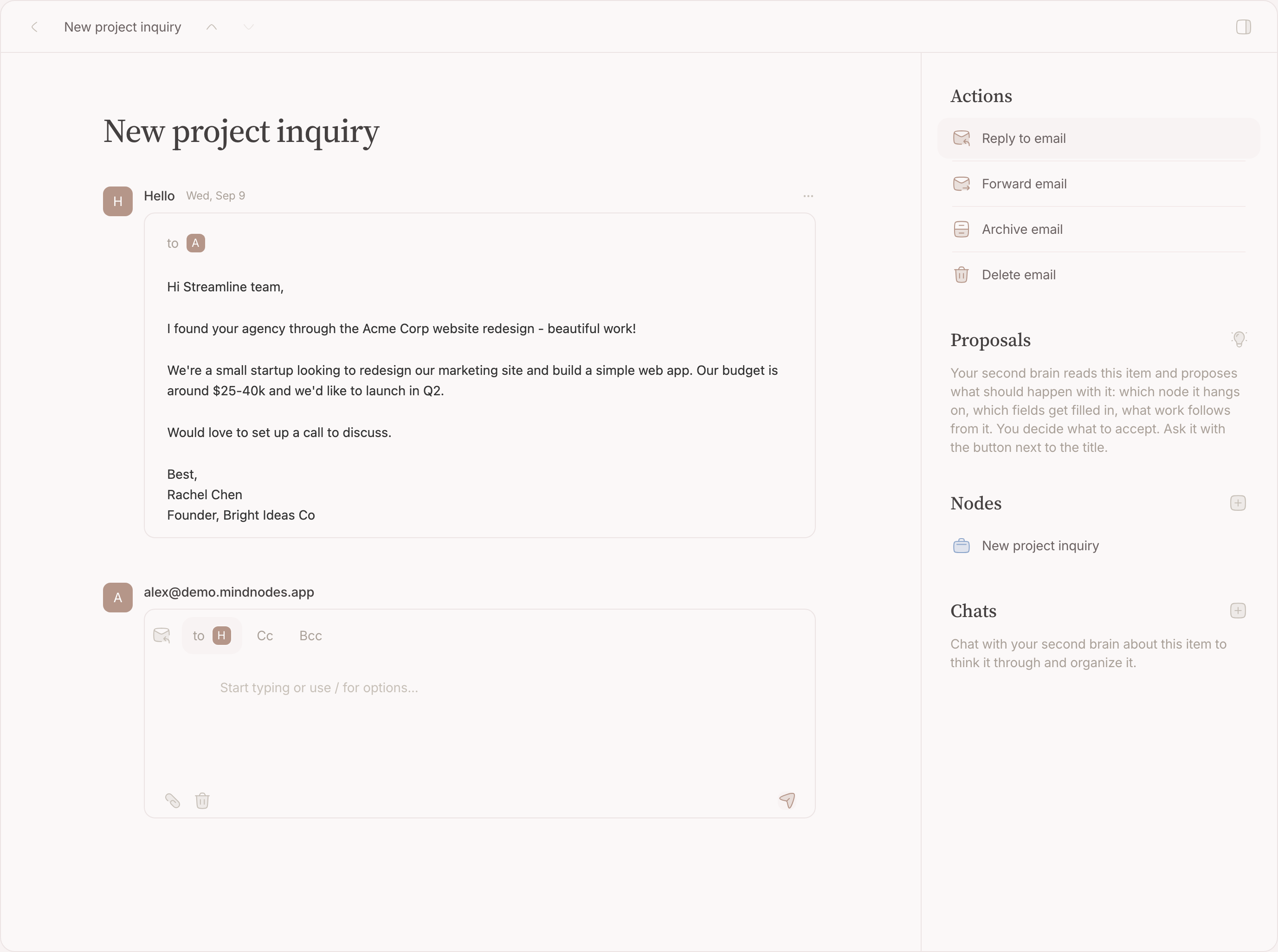
Write it here and it goes out from the account the thread arrived on. A reply keeps the thread together; a forward carries the message on to someone else. A mail that is not a reply goes out the same way, from an account you connected.
Send a drafted reply
Your second brain may write a reply when there is genuinely something to say — a question that decides whether a meeting is useful, an agenda you owe someone. The draft is part of a proposal, shown in full as it will go out: carrying out the proposal sends it, as written, from the account the thread arrived on. Want it different? Say so and the proposal comes back reworked; let the proposal go and nothing is sent. Nothing is ever sent because you did not look.
Hang it on a node
- Open the Nodes field on the thread.
- Type the client, the project or the person. Existing nodes come first.
- Link as many as it is about. Each row has its own unlink button.
A conversation that is its own thing — a negotiation, an application — deserves a node of its own. A third mail about something you already keep belongs on the node you have. Same test as everywhere: would you have written it down if the mail had never arrived?
Which node should it be?
The mechanism above is easy; this is the judgement. Two steps, and most threads are settled by the first.
Does something go in, or come out?
In is what the thread asks of you: a question to answer, a quote to judge, a date to agree. Out is what it settles or leaves behind: a decision, an invoice, an address you will need again. Either one means there is a thing here worth keeping.
- Neither, and it is about something you already keep. The third mail about a running project. Hang it on the project — the pile of threads becomes its correspondence history, each carrying its own date.
- Neither, and it is about nothing you would look for. A newsletter, a receipt, a delivery notice. Archive it unlinked and stop — that is a full answer, not a shortcut.
What is it about?
A thread hangs on the thing it is about — not on whoever sent it, and not on what kind of mail it is. The negotiation is about the deal, the confirmation is about the visit it confirms, the invoice is about the supplier it came from.
The trap that catches everyone is the second one: a node named "Invoices" or "Confirmations" is a folder wearing a node's name. You will never search for "invoice"; you will search for the supplier, the project, the month it was about. What kind of item something is stays visible on the item itself.
Settle it
Archiving here takes the item out of your Mindnodes queue. It is a verdict on the item, not on the mail: your mailbox is untouched, and the links you made stay on the node.
FAQ
What happens when someone replies?
The thread comes back to the queue and is read again — a reply is news, and your second brain corrects what it proposed the first time.
What happens to attachments?
They stay with the message and can be opened from it. To keep one for good, attach it to a node as media .
Does Mindnodes ever delete my mail?
No. Nothing you do here changes what is in your mail account.