From recipe to table
Keep every dish you cook once, drop it on the evening you will cook it, and walk into the shop with the list already on your phone.
Sunday evening, five weekday dinners to decide. The recipes are in five places: a photo of a page from a book, a link somebody sent, the one you know by heart except for the quantities. You decide, you shop, and next Sunday you look all of it up again.
What makes that loop expensive is not the deciding, it is the re-finding. So a dish becomes a thing you keep once — its recipe, how long it takes, who will eat it — and the week runs end to end from there: dishes onto evenings, evenings into a shopping list, the list in your hand at the shop. The dinner in your calendar and the recipe you cook from are the same object seen twice.
Set up once
One category. Settings → Categories: name it Recipe and pick the fork-and-knife icon. A dish wants none of the properties on offer — it is not a thing you finish. If you cook by type, make Pasta or Traybake with Recipe as their parent rather than inventing a property for it.
The loop
-
Write the dish down
In the create form, type Miso salmon with greens and then + — three letters find Recipe, Enter picks it, Enter creates the node. The # does the same for an area, so #Family files it where the rest of the household's things live. -
Put the recipe in it
Open the dish and type into the page: ingredients, method, how long it takes, how many it feeds. This is the part you are never going to write twice — everything below is about reaching it again.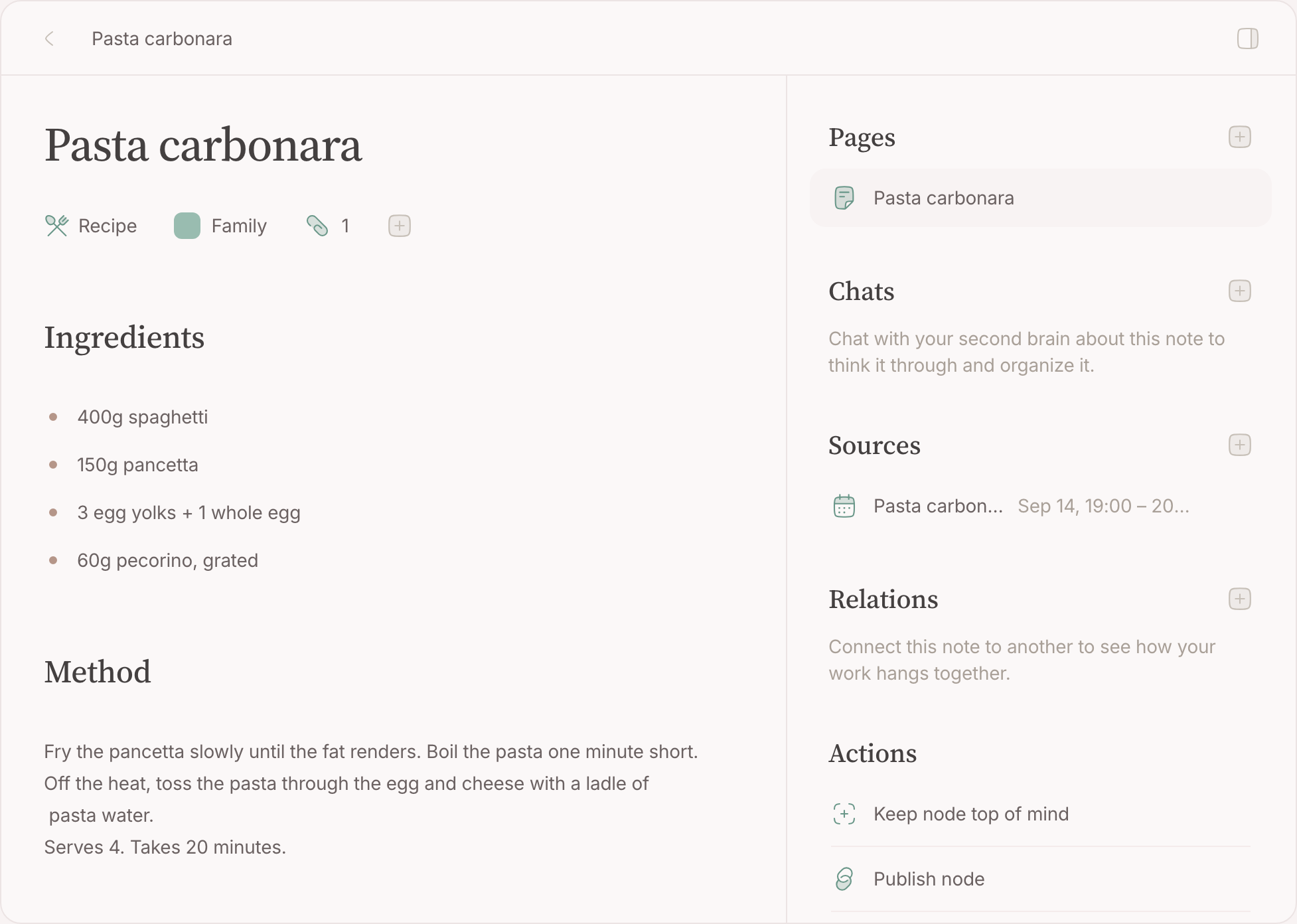
-
Give the dishes a page of their own
On List, add the filter Category is Recipe so everything else falls away, and save it as a lens . It becomes a tab on the Nodes page, and since the page opens on the tab you last used, your cookbook is one click away every Sunday from now on.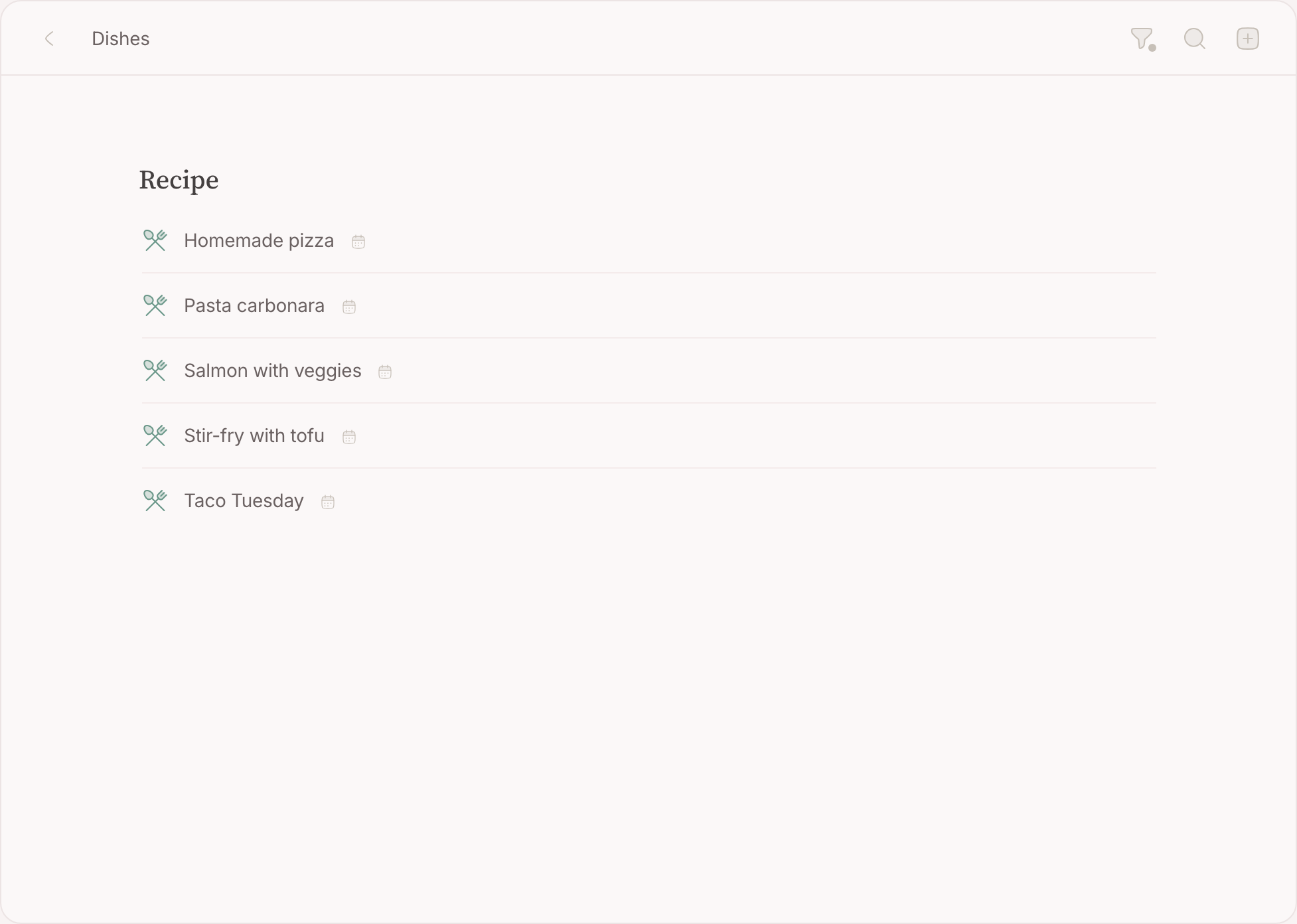
-
Put the week beside the dishes
On the lens, keep each dish you fancy this week top of mind and they line up in the sidebar. Then open Calendar: the week fills the page with the dishes beside it, and the planning is a conversation between the two. -
Drag a dish onto an evening
Pick the dish up from Top of mind and drop it on Thursday at six. An event appears, named after the dish and linked to it — the grid shows the dish's own icon on it, which is how a planned dinner looks different from an ordinary appointment. A dish with an evening is decided, so it leaves Top of mind as it lands: five drags and the week is done.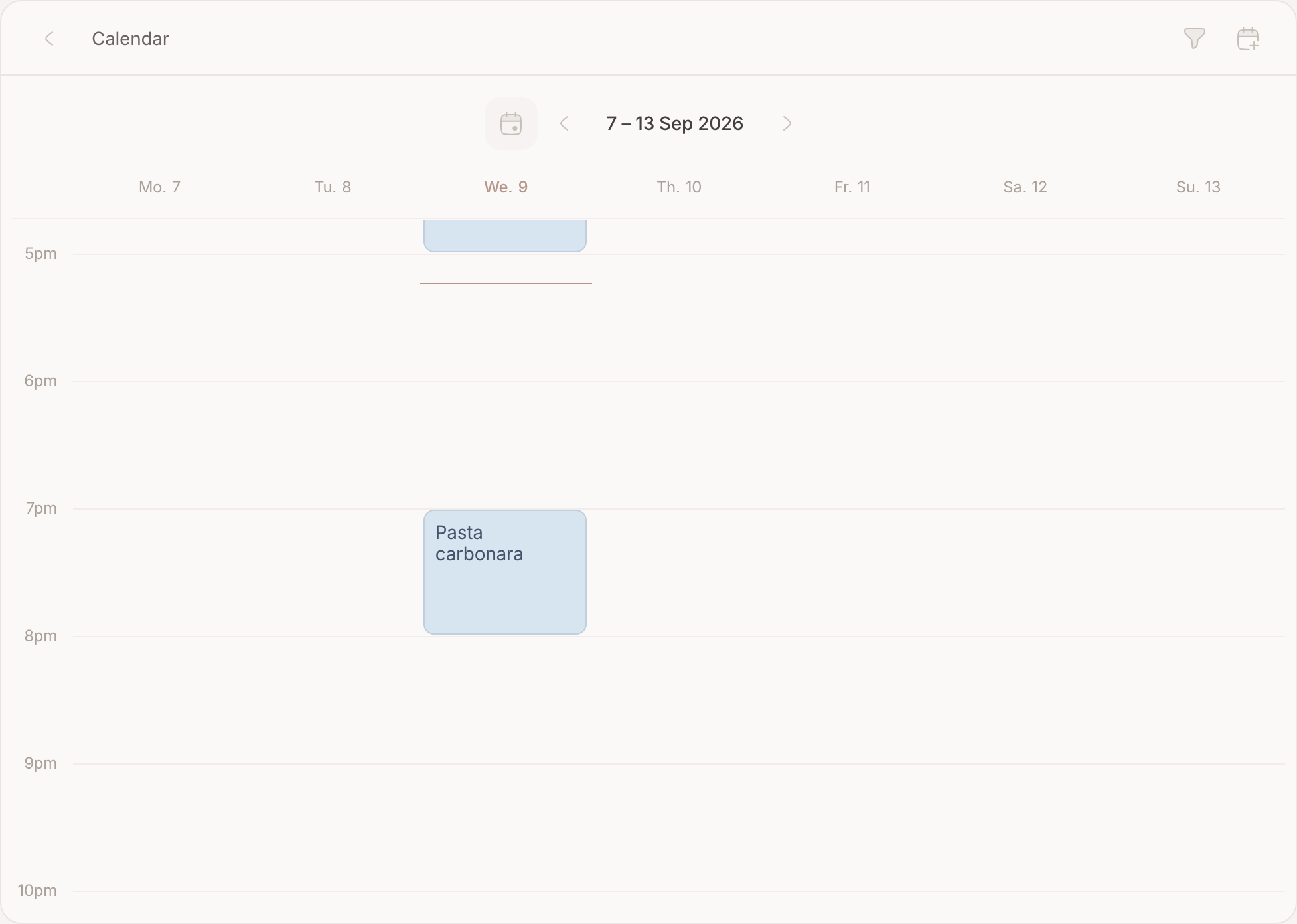
-
Write the week's shopping list
With the week decided, make one more note — Saturday market — and turn its first line into a checklist. Every Enter starts the next item, so the list is one uninterrupted run of typing: tomatoes, bread, olives. The week is one step back whenever you need to check what an evening asks for. -
Take the list to the shop
Keep the list top of mind and it stands in the sidebar, under the compose box and the inbox, when you open the app in the shop doorway. Tick in the aisle; whoever is at home adding capers gets the same list you are looking at. And the back of the shop, the underground car park, the freezer aisle — the list lives on your device, so it does not blink when the signal does.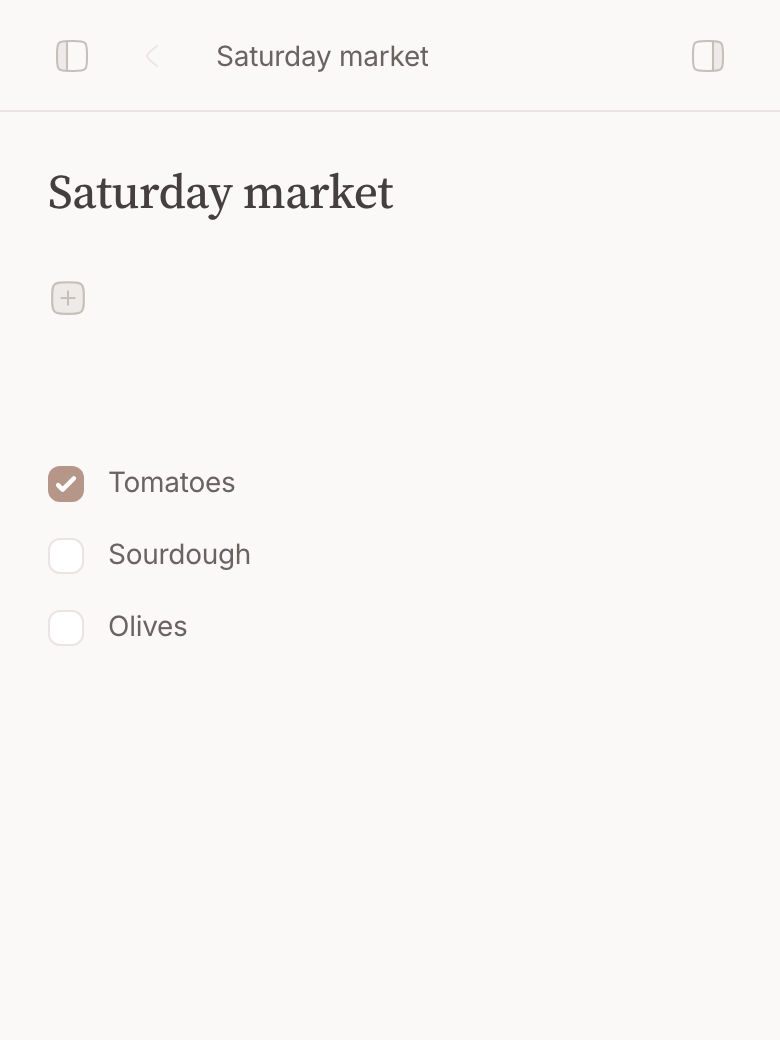
-
Read the week back from either side
Open the dish: under Sources sits every evening it has been on, with the date and the time — the dish quietly keeps a record of when you last made it. Open the evening from the calendar and the dish is one click away, with room for a note about how it went.
Where your second brain helps
The value of doing it this way is that the week is not a list of words: your dinners are events, your recipes are text, and the two are linked. That is a shape a second brain can read — ask about the week in the compose box and the answer is drawn from everything you kept. Nothing is written behind your back: whatever your second brain works out arrives as a proposal — this week's dinners as one, carried out or let go as a whole.
Going further
Publish the dish, not the plan. Publish one recipe and hand the link to whoever is cooking tonight, or the shopping list to whoever is going to the shop on the Saturday you are not.
Start the next week by hand. A list you have worked through stays ticked — there is no reset. Next week's shop starts by unticking last week's, item by item, or by typing a fresh list under the old one.
Let the cookbook grow slowly. Ten dishes is a working week and a half. You do not need a cookbook in here — only the things you actually make, which is a much shorter list than it feels like on Sunday evening.