From invitation to follow-up
The invitation with the half-familiar name becomes a meeting you walk into prepared — and leave with the notes and follow-up already filed.
An invitation lands on Thursday afternoon. The name on it is half familiar — you spoke to them in spring, there was a proposal, and something was owed. The meeting itself will take forty minutes; the ten minutes before it, spent digging through mail to work out who they are, is the part that hurts.
This page walks the whole arc: the invitation arrives and gets filed, you walk in prepared because last time is one page away, you type the notes where they will be found, and the follow-up leaves the room already filed. Each meeting you process this way makes the next one cheaper, which is the entire point.
What you are actually deciding
Every arriving event comes down to one question, and it is the one people hesitate over: does this deserve a node of its own, or does it belong on something you already keep? The answer decides everything else, and it has three shapes.
Drinks on Friday, the client meeting, the festival. These are their own thing. Nothing you keep stands for them yet, because the occasion is the thing — so it gets a node, and the event hangs on it as a source. That gives you somewhere to put what a grid cannot hold: who is coming, what you want out of it, what came of it.
The meal, the task, the project call. Here nothing new arrived — the event is a time you gave something you already have. It hangs on that node rather than on a second one with the same name. The test is short: would you have written this down if the event had never arrived? If yes, it exists already — go find it.
The thing you go to every year. Tomorrowland 2026 is not Tomorrowland 2025: other tickets, other people, another weekend. The edition gets the node, and both editions relate to one standing thing, which is where what never changes lives. Same shape for the annual conference, the quarterly review, the ski week.
The loop
-
The invitation arrives in your Inbox
Connect a calendar once, and every upcoming event is filed as an inbox item, with its date and hours beside the name, in the order it reached you. Events that are already over are not inbox work and never appear, which is why connecting a calendar does not bury you under a year of history.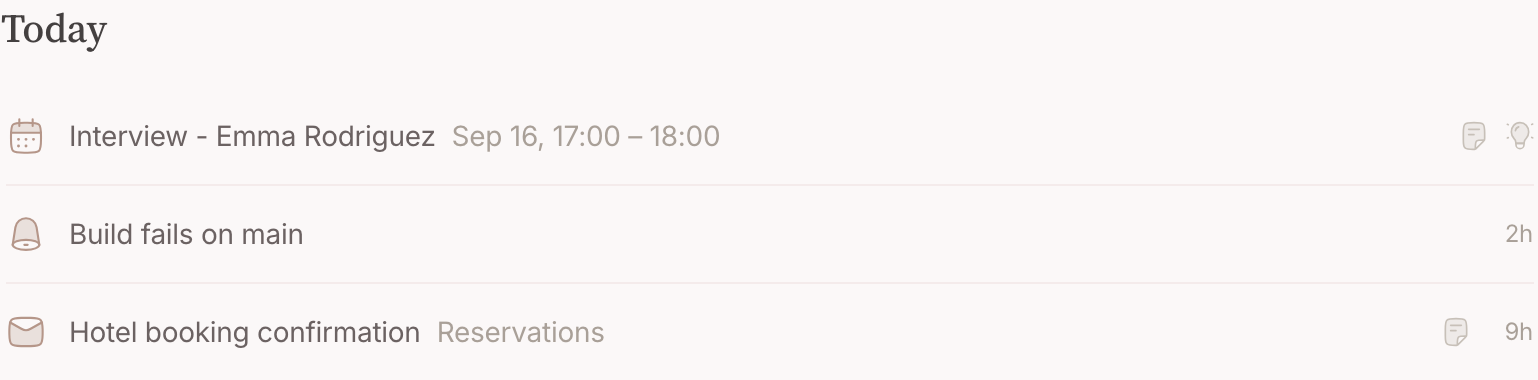
-
Your second brain has already read it
Before you open it, the inbox reflex has read the event — description, guest list, who organises it — and looked through what you already keep. It proposes a node to file the meeting on, a relation to the client or the person, and a task to prepare it, due before the day itself — or, for a meeting today or tomorrow, an agenda on that node right away. It plays by the rule above: it searches what you keep before it proposes anything new, and a daily standup or a block you made for yourself gets nothing proposed at all. -
Decide the proposal, and hang it where it belongs
Nothing is written without you: the invitation and the mails about it are one proposal, waiting under Proposals and beside the item, decided as a whole. Carry it out when it is what you would have done; when the node hangs on the wrong thing, say so under Anything else? and it comes back reworked. Or take the decision from the top of this page yourself in the Nodes field — leave the event's own title to make a node for the occasion, or type the client's name and what you already keep is offered first. Then Archive : the item leaves the Inbox, the event stays on the calendar, and the links stay on the node. If the meeting moves later, the item comes back — a reschedule is news.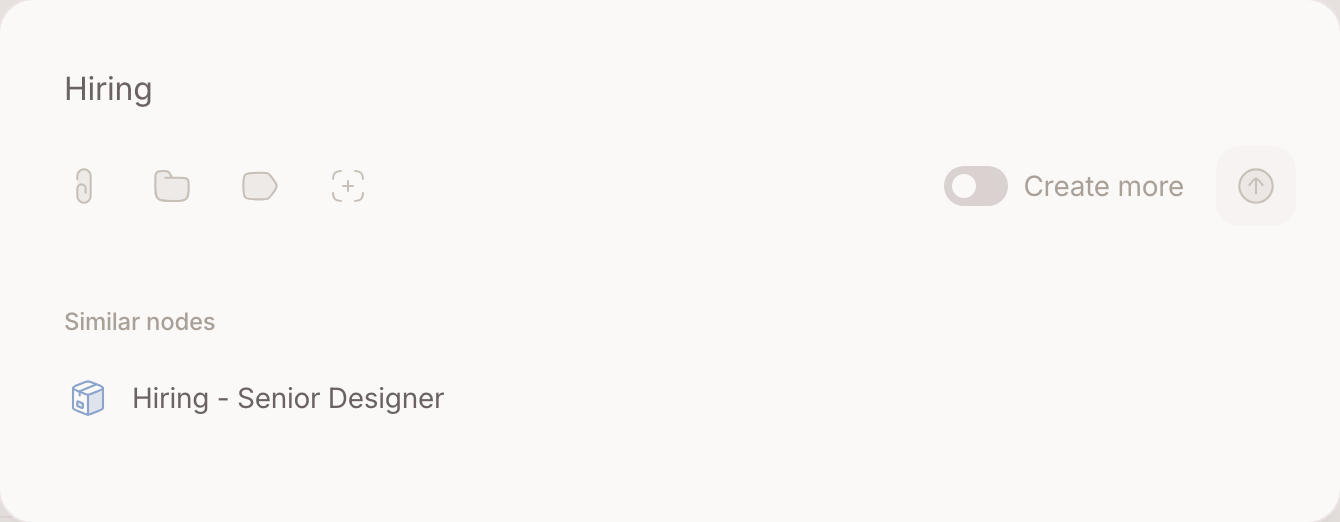
-
Prepare, the day before
The prep task carries a deadline, and once that is close it stands in Top of mind, so the day before opens with it. Open the meeting's node and the preparation is a read, not a search: the relations lead to the person and the client, and their pages hold last time's meetings, the mail about the proposal, the thing you owed them. Write what you want out of it into the node — questions go in before the meeting the way minutes come out after.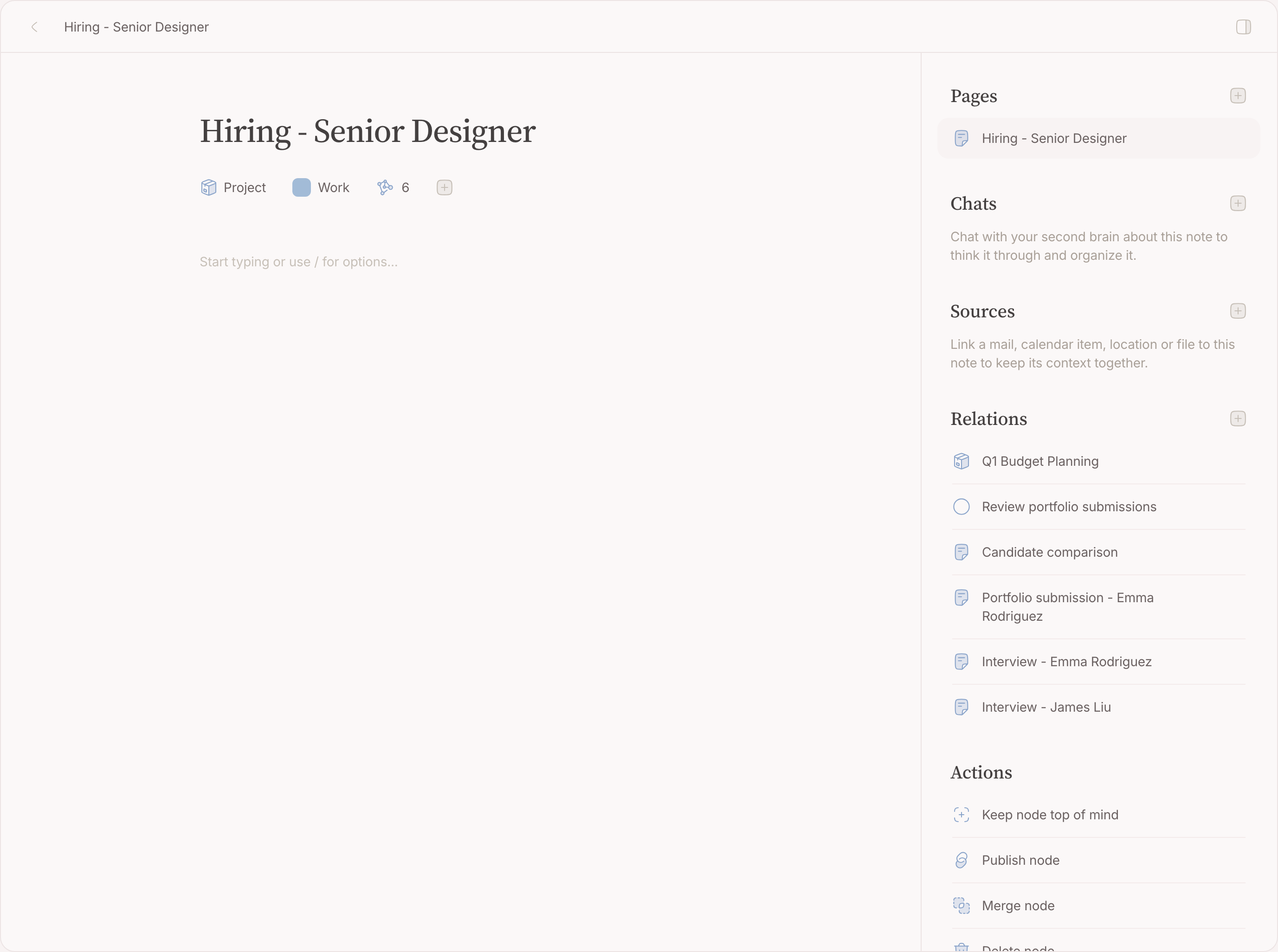
-
Type the notes while they talk
The meeting's node is the notebook. Type what is said the way you would tell a colleague; name the people and projects that come up with@and they connect as you write. Give an action point a checklist line, or make it a to-do of its own, related to the meeting — the action points leave the room already separated from the notes. -
Leave with the follow-up filed
The residue lands where it will be found: the decision on the meeting's node, the tasks with their due dates, and — when there is genuinely something to send — a draft mail to the organiser, proposed, waiting for your yes. Nothing goes out because you did not look.
Where your second brain helps
The inbox reflex runs by itself on anything that arrives or moves — the invitation and the mails about it become one proposal — and it cannot answer an invitation: accepting and declining are yours, and when a decision is needed it proposes a task rather than responding for you. You can also ask for another look — Make proposals on the item, even on something you archived months ago — and every proposal opens with an article that says why it proposes what it does.
A year in
Every meeting you filed on a client stays on that client's page. A year of this and the page is a history of when you talked and what came of it — which turns the ten minutes before the next meeting into a scroll rather than a search. That is the whole return on the ten seconds an item costs you today.
Going further
Teach the reflex your week. The instruction box of the inbox reflex takes plain sentences — the Tuesday sync never needs a task , interviews always get a prep block — and they apply from the next event that arrives.
Keep one calendar out of it. A shared family calendar can stay off the work week without being disconnected.