Lenses
One set of nodes as a list, a board, a calendar, a map, a graph or a gallery — narrowed by filters, and kept as a tab on its page.
Overview
The same question comes back every day at the same hour. Monday at nine it is "what is open at work"; Sunday at five it is "what could we cook this week"; before the trip it is "what did we save around Lisbon". A lens is one of those questions, kept: a set of nodes you narrowed down, drawn the way that set is best looked at, kept as a tab on the page it came from. Same nodes, five ways of seeing them — and the version you ask for every morning is one click away instead of four.
A lens is a question, not a collection. Nothing is filed into one: it asks its filters again every time you open it, so a node that starts matching turns up by itself and one that stops drops out. That is why the labels you give a node matter more than any folder ever did — they are what the questions run on. The one set you fill by hand is Top of mind , covered next.
Basics
Pick a mode
Any set of nodes can be drawn in five ways:
- List — rows, grouped and sorted however you need them. The default, and the one that always works. Give it a columns dimension and the rows stand up into a board.
- Calendar — a grid of days and hours, with your events on it.
- Map — pins for the nodes that have a place on them.
- Graph — the nodes as dots and their relations as lines, each dot in the colour of its area.
- Media — everything attached to them, as a gallery.
Stand the rows up into columns
A board is not a mode of its own; it is a list with a columns dimension. Pick one in the view editor — status, priority, area, category, due date, or a related node, so a column per client is a board of everything per client — and the rows re-form as columns. Clear the dimension and they lie back down. Dragging a card between columns writes the value that column stands for, which is the whole edit.
Narrow the set
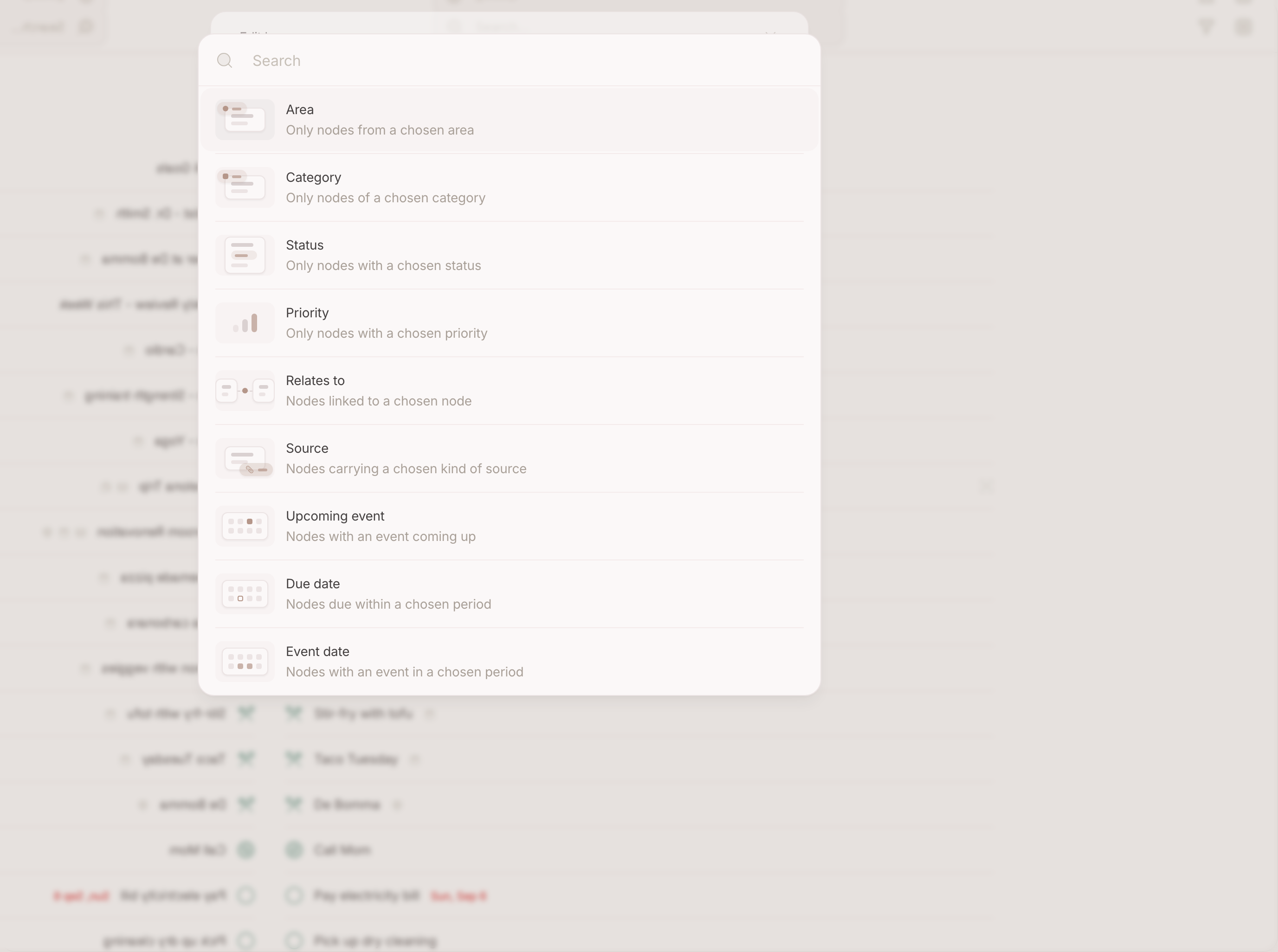
The filter panel takes rows, and you can stack them:
- Area — only Work, only Family.
- Category — only tasks, only places, only the categories you made.
- Property — a status, a priority, a due date, a duration.
The filter button carries a dot while anything is set, so a narrowed page never looks like an empty one.
Keep it as a lens
Once a page shows what you want, save it. It becomes a tab on that page, beside All , with its own name and icon, and it opens exactly as you left it — same filters, same mode. The page remembers which tab you last looked through: the calendar you read through Work opens on Work again.
This is the part worth the effort: a lens is the difference between a tool you configure every morning and one that is already pointed where you work.
Change or remove one
Open a lens, change what you like, and save it again. Tabs can be put in another order by dragging them along the row. Deleting a lens deletes the view, never the nodes in it.
What a page remembers by itself
Mode and filters are remembered per device even without saving a lens — the phone you triage on can sit on a single day while your desktop stays on the week. A lens is for when you want that setup by name, on every device.
The calendar grid
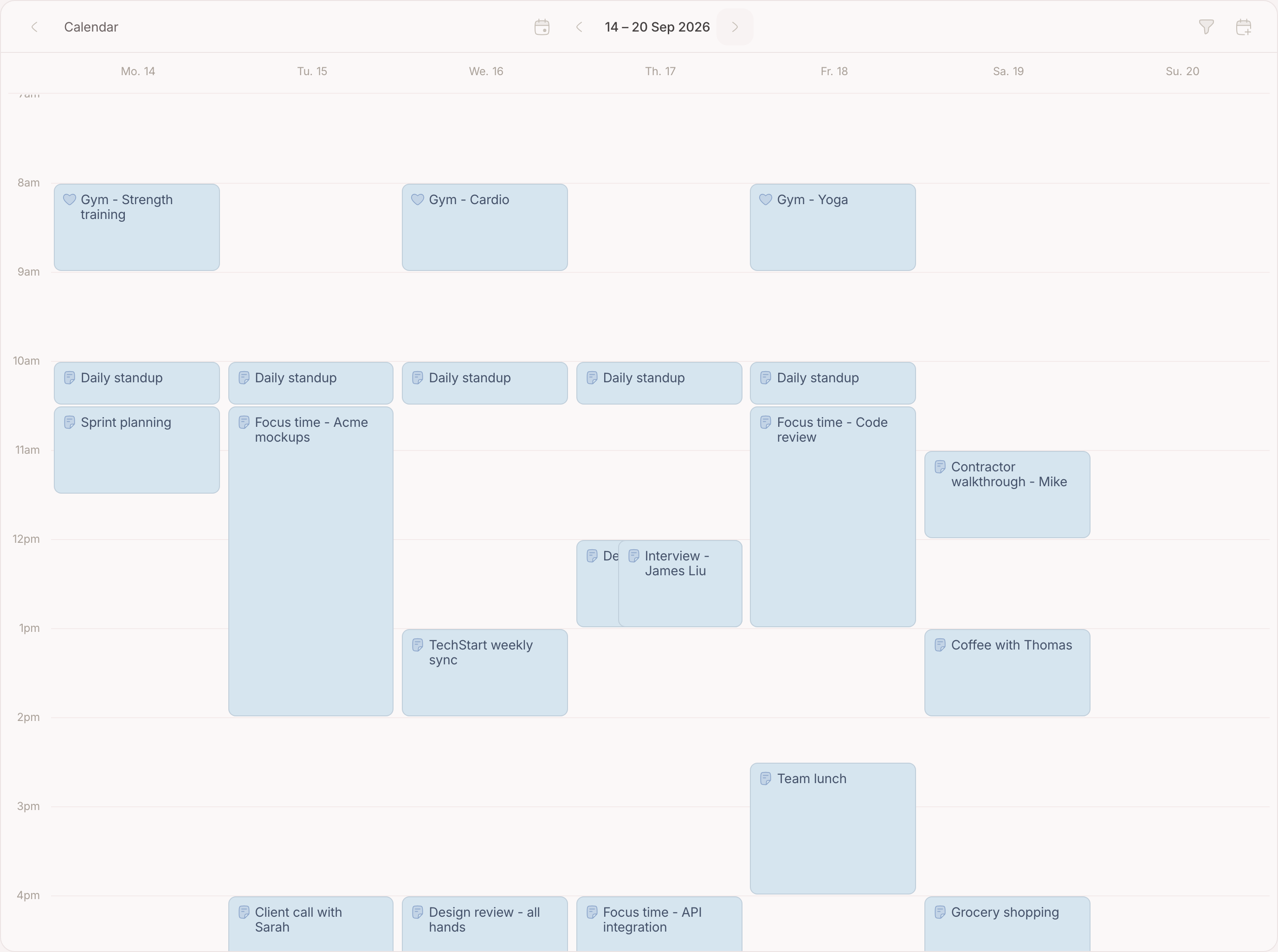
The calendar draws a set of nodes, and the events on your connected calendars, on days and hours. The Calendar page is that grid pinned to its own destination — open it with ⌘6 — and any lens can be switched to it. What is drawn on it are sources: see Calendar events for how one arrives and what it carries.
Move through time
The period nav sits in the middle of the topbar:
- Today jumps back to the current period, and lights up while today is already in view.
- The arrows step one period back or forward.
- The label between them names the period you are looking at.
When the page is narrow the nav renders above the grid instead, where there is room for it.
Set day, week or month
The funnel beside the period nav sets two things the grid alone has:
- Day, week or month. Week is the default.
- Which calendars show. One switch per calendar. Switching a calendar off hides it without disconnecting it.
Zoom in on the day
Pinch the grid to give each hour more room, or less to fit more of the day on screen. The time under your fingers stays where it is. On a trackpad it is the same pinch; with a mouse, scroll while holding Ctrl. The zoom belongs to the device, so your phone and your desktop each keep their own.
Move and resize an event
Drag an event to move it, or pull either edge to change its length. Everything snaps to fifteen minutes. Provisional events — the ones your second brain proposed and you have not carried out yet — are drawn dashed and cannot be dragged.
The map
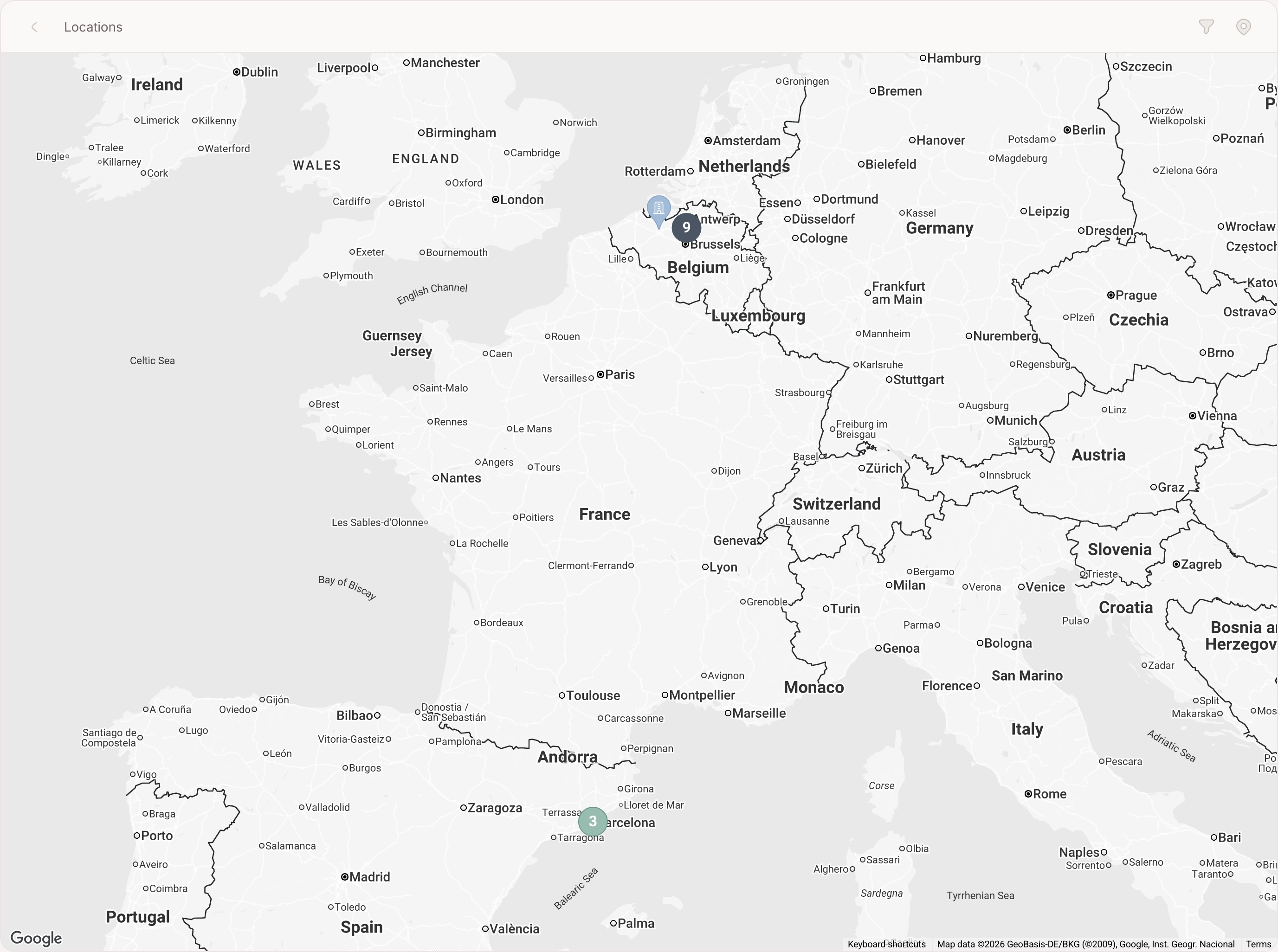
The map is every place you kept, as pins. It is its own destination in the sidebar and a mode any lens can switch to, so a map of one trip is a lens away. How a pin gets there is on Locations .
Read it
A pin takes the colour of the area of the node behind it, so Work and Family are two colours on one map. A number in a circle is several places too close together to draw apart — clicking it opens them up. Clicking a pin takes you to the node.
Search it
One field narrows on two things at once: the street a place is on, and the titles of the nodes behind the pins. So a city name leaves the pins of everything that trip touched standing, and a street name finds the café you can picture but cannot name.
The gallery
The gallery is everything you attached, drawn as a grid instead of hidden one node at a time. Every tile carries the node it hangs on, which is the point of it: you remember the picture long before you remember what you called the note. Attaching is on Photos, files and links .
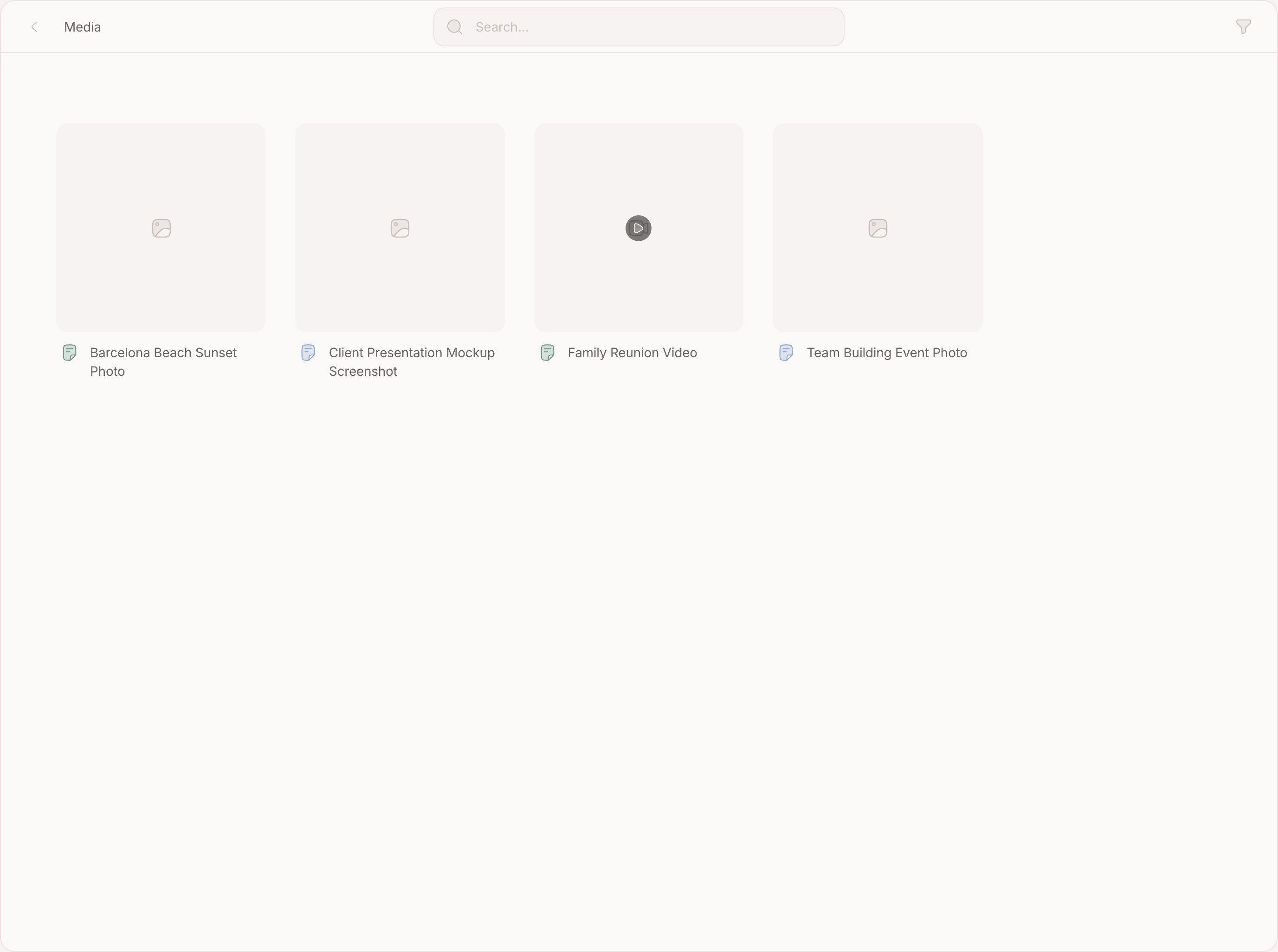
It takes one filter the other modes do not: kind — only images, only links — on top of the usual area and category rows.
FAQ
Why is a node missing from my map or my columns?
Because it has nothing for that mode to draw — no place, no status. Switch to List to see the whole set.
Why is a file not in the gallery?
Because it hangs on no node. Media reaches the gallery through the node it is attached to.
Why is my week empty on my phone?
Seven columns do not fit a phone screen. Set the grid to Day on the devices you use standing up.
Does the map search work offline?
Your own places do; looking up a new address needs a connection, because that answer comes from outside.
Can I publish a lens?
No. A lens is yours; publishing works on nodes.