Publishing
The way out of your own account: put a node on the web at its own address — anyone with the link can read it, and nobody can change it.
Overview
Sooner or later someone needs a page of yours. The packing list your partner wants on their phone, the guide you keep re-sending by mail, the recipe half the family has asked for. Publishing is the way out of your own account: it puts a node on the web at its own address. Anyone with the link can read it, and nobody can change it — the page you have been writing in becomes the page they see, without moving anything anywhere. The whole note travels: every page of it, names as headings.
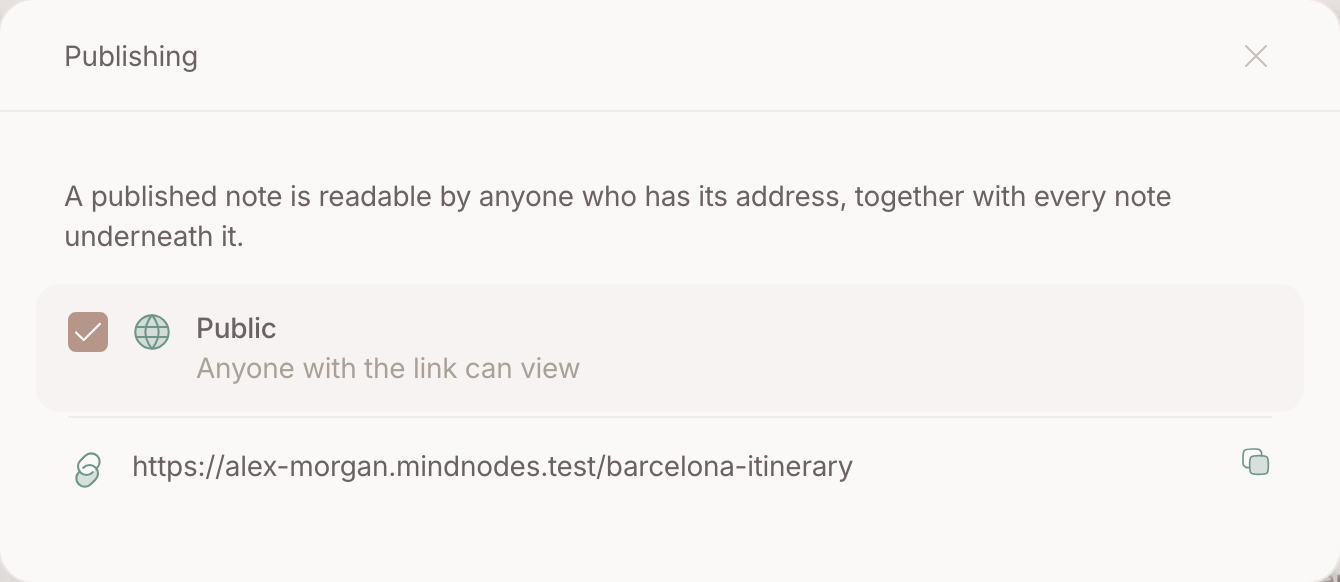
The action is called Publish node and the checkbox says Anyone with the link can view . Reading is all it gives: writing stays yours, on your account.
Basics
Publish one
- Open the node and tick the public checkbox.
- The address appears with it, straight away — the change is written on your own machine first, so it does not wait on a server.
- Click the address to copy it.
The address
The link reads like something a person wrote: your own subdomain, then the title of the node. Rename the node and the address follows; the old one keeps working, so a link you already sent does not break.
Take it offline
Untick the box. The page stops answering.
FAQ
What does a reader see?
The note, whole — every page of it, names as headings — and nothing else. Your sources, relations, chats and everything you keep top of mind stay on your side of the glass.
Can someone write on it with me?
No. Publishing gives reading, nothing else — a published page has one author, and it is you.
Is a published page findable in search engines?
It is a public page on your own subdomain, so treat it as public in every sense.
Does a reader need an account?
No. The link is enough — that is the point of it.